Laravel 11 Workgroup: Creating Collaborative Environments

Mohamad's interest is in Programming (Mobile, Web, Database and Machine Learning). He is studying at the Center For Artificial Intelligence Technology (CAIT), Universiti Kebangsaan Malaysia (UKM).
that cater for different project requirements, communication styles, and workflow preferences.
[0] Create Laravel project with Auth API
Follow the previous article, or download a quick start project.
[1] Create migration
Run Artisan command:
php artisan make:migration create_workgroups_table
Edit the migration file.
(file → database\migrations\yyyy_mm_dd_hhmmss_create_workgroups_table.php)
public function up():void
{
    Schema::create('workgroups', function (Blueprint $table) {
        $table->id();
        $table->unsignedBigInteger('creator_id');
        $table->string('name');
        $table->text('description');
        $table->timestamps();

        $table->foreign('creator_id')->references('id')->on('users')->onDelete('cascade');
    });
}

public function down():void
{
    Schema::dropIfExists('workgroups');
}
Edit User model.
use Illuminate\Database\Eloquent\Relations\HasMany;

...
public function createdWorkgroups(): HasMany
{
    return $this->hasMany(Workgroup::class, 'creator_id');
}
Create Workgroup model.
php artisan make:model Workgroup
Edit Workgroup model.
use Illuminate\Database\Eloquent\Relations\BelongsTo;
...
    protected $fillable = [
        'creator_id',
        'name',
        'description',
    ];
...
public function creator(): BelongsTo
{
    return $this->belongsTo(User::class, 'creator_id');
}
Run Artisan command to perform migration.
php artisan migrate
[2] Create Web Controller
Create controller script file
php artisan make:controller WorkgroupsController
Edit controller script file.
(file → app\Http\Controllers\WorkgroupsController.php)
<?php

namespace App\Http\Controllers;

use App\Models\Workgroup;
use App\Models\User;
use Illuminate\Http\Request;
use Illuminate\Support\Facades\Auth;

class WorkgroupsController extends Controller
{
    public function index()
    {
        $user = Auth::user();
        $workgroups = $user->createdWorkgroups;

        return view('workgroups.index', [
            'workgroups' => $workgroups,
        ]);
    }

    public function store(Request $request)
    {
        $validatedData = $request->validate([
            'name' => 'required|string|max:255',
            'description' => 'required|string',
        ]);

        $workgroup = Workgroup::create([
            'creator_id' => Auth::id(),
            'name' => $validatedData['name'],
            'description' => $validatedData['description'],
        ]);

        return redirect()->route('workgroups.index')
            ->with('success', 'Workgroup created successfully.');
    }
}
[3] Create Web View
This steps assume that you have integrated Breeze into your system. Otherwise, you may refer to Blade Templates guide.
workgroups.index:
(file → resources\views\workgroups\index.blade.php)
<x-app-layout>
    <x-slot name="header">
        <h2 class="font-semibold text-xl text-gray-800 leading-tight">
            {{ __('Your Workgroups') }}
        </h2>
    </x-slot>

    <div class="py-12">
        <div class="max-w-7xl mx-auto sm:px-6 lg:px-8">
            <div class="bg-white overflow-hidden shadow-sm sm:rounded-lg">
                <div class="p-6 text-gray-900">

                    <script>
                        document.addEventListener('DOMContentLoaded', function() {
                            const buttonShowFormNewWorkgroup = document.getElementById('buttonShowFormNewWorkgroup');
                            const formNewWorkgroup = document.getElementById('newWorkgroupForm1');
                            const buttonCancelFormNewWorkgroup = document.getElementById('buttonCancelFormNewWorkgroup');

                            buttonShowFormNewWorkgroup.addEventListener('click', function() {
                                formNewWorkgroup.classList.toggle('hidden');
                                buttonShowFormNewWorkgroup.classList.add('hidden');
                            });

                            buttonCancelFormNewWorkgroup.addEventListener('click', function() {
                                formNewWorkgroup.classList.toggle('hidden');
                                buttonShowFormNewWorkgroup.classList.remove('hidden');
                            });

                        });
                    </script>

                    @if (session('success'))
                    <div class="bg-green-100 border border-green-400 text-green-700 px-4 py-3 rounded relative" role="alert">
                        <strong class="font-bold">Success!</strong>
                        <span class="block sm:inline">{{ session('success') }}</span>
                    </div>
                    @endif
                    <br/>

                    <x-primary-button id="buttonShowFormNewWorkgroup">
                        New Workgroup
                    </x-primary-button>


                    <div id="newWorkgroupForm1" class="w-full sm:max-w-md mt-6 px-6 py-4 bg-white shadow-md overflow-hidden sm:rounded-lg hidden">
                        <h2 class="font-semibold text-xl text-gray-800 leading-tight">
                            {{ __('New Workgroup') }}
                        </h2>
                        <form action="{{ route('workgroups.store') }}" method="POST">
                            @csrf
                            <!-- Add your form fields here -->
                            <div class="mb-4">
                                <label for="name" class="block text-gray-700 font-semibold mb-2">Name</label>
                                <input type="text" id="name" name="name" class="w-full px-4 py-2 border rounded-md focus:outline-none focus:ring focus:border-blue-300">
                            </div>
                            <div class="mb-4">
                                <label for="description" class="block text-gray-700 font-semibold mb-2">Description</label>
                                <input type="text" id="description" name="description" class="w-full px-4 py-2 border rounded-md focus:outline-none focus:ring focus:border-blue-300">
                            </div>
                            <!-- Add more form fields as needed -->

                            <x-secondary-button id="buttonCancelFormNewWorkgroup">
                                Cancel
                            </x-secondary-button>

                            <x-primary-button id="buttonSaveFormNewWorkgroup" type="submit">
                                Save Workgroup
                            </x-primary-button>

                        </form>
                    </div>

                    @if ($workgroups->count() > 0)
                    <div class="mt-4 space-y-4">
                        @foreach ($workgroups as $workgroup)
                        <div class="bg-white shadow-md rounded-lg p-4">
                            <div class="flex items-center justify-between">
                                <div>
                                    <h5 class="font-semibold">{{ $workgroup->name }}</h5>
                                    <p class="text-gray-600">{{ $workgroup->description }}</p>
                                </div>
                                <div class="space-x-2">
                                    <a href="#" class="bg-blue-500 hover:bg-blue-700 text-white font-bold py-2 px-4 rounded">
                                        Edit
                                    </a>
                                    <a href="#" class="bg-red-500 hover:bg-red-700 text-white font-bold py-2 px-4 rounded">
                                        Delete
                                    </a>
                                </div>
                            </div>
                        </div>
                        @endforeach
                    </div>
                    @else
                    <p class="mt-4 text-gray-600">You haven't created any workgroups yet.</p>
                    @endif
                </div>
            </div>
        </div>
    </div>


</x-app-layout>
add the navigation link for the workgroups page in the navigation layout file:
(file →resources\views\layouts\navigation.blade.php)
                <!-- Navigation Links -->
                <div class="hidden space-x-8 sm:-my-px sm:ms-10 sm:flex">
                    <x-nav-link :href="route('dashboard')" :active="request()->routeIs('dashboard')">
                        {{ __('Dashboard') }}
                    </x-nav-link>
                    <x-nav-link :href="route('workgroups.index')" :active="request()->routeIs('workgroups.*')">
                        {{ __('Workgroups') }}
                    </x-nav-link>
                </div>
[4] Update Web Route
...
use App\Http\Controllers\WorkgroupsController;
Route::get('/workgroups', [WorkgroupsController::class, 'index'])->name('workgroups.index');
Route::get('/workgroups/create', [WorkgroupsController::class, 'create'])->name('workgroups.create');
Route::post('/workgroups', [WorkgroupsController::class, 'store'])->name('workgroups.store');
...
[5] Test
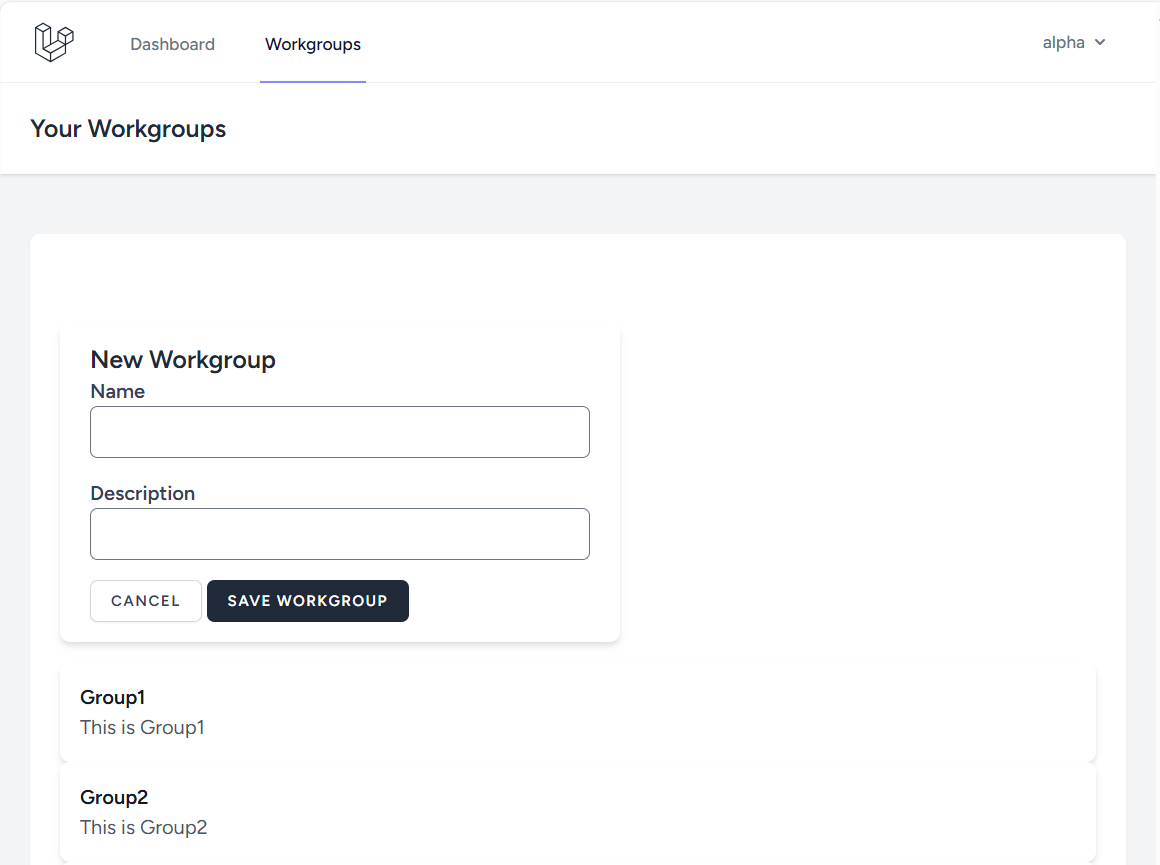
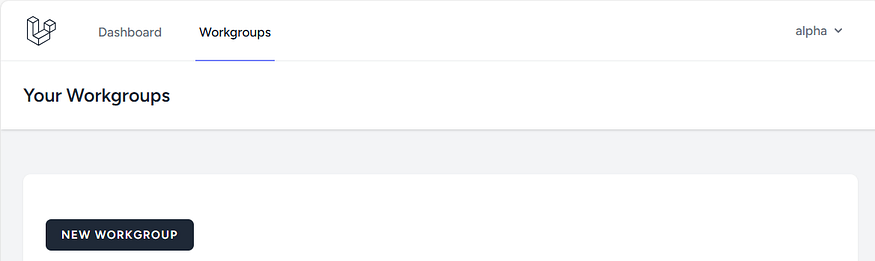
Click New Workgroup button.
Enter details of the Workgroup e.g.:
Name = Group1
Description=This is Group1
Click Save Workgroup button.
Outcome: